How to fake risograph print in WebGL
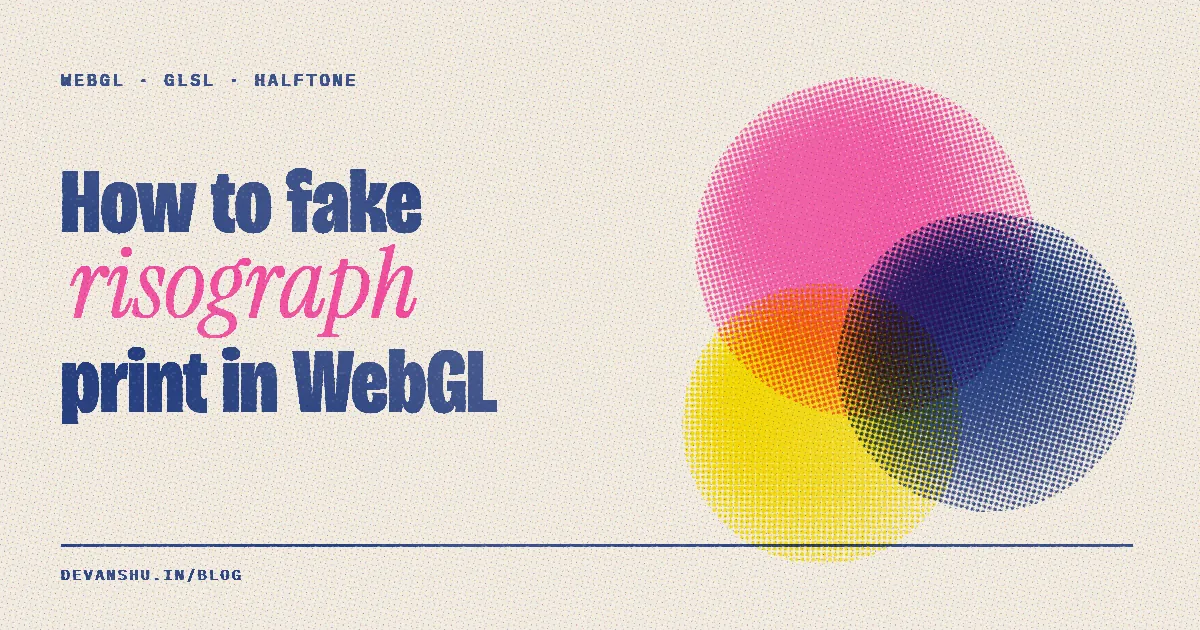
Short answer: Draw each ink into its own grayscale layer, upload the layers as textures, and in one fragment shader turn each layer into a halftone screen at its own angle. Multiply the inks onto a paper colour, add noise for grain and patchy ink, and nudge each plate a pixel or two off register. That is the whole risograph look, and it runs at 60fps.
Every visual on devanshu.in, from the hero to the 58-second showreel, is printed by one small engine: motion/riso.js, about 140 lines. This post walks through how it works so you can build your own.
What makes a risograph print look like one?
A risograph is a stencil duplicator. It prints one ink per pass, and that gives the look its four tells:
- Few, loud inks. Fluorescent pink, yellow, blue. Each ink is a separate drum.
- Halftone dots. Shades come from dot size, and each plate's screen sits at a different angle.
- Translucent overprint. Pink over blue makes purple. The inks multiply.
- Imperfection. Plates land slightly off register, ink coverage is patchy, the paper has grain.
Get those four right and anything you draw reads as printed.
Step 1: draw one canvas per ink
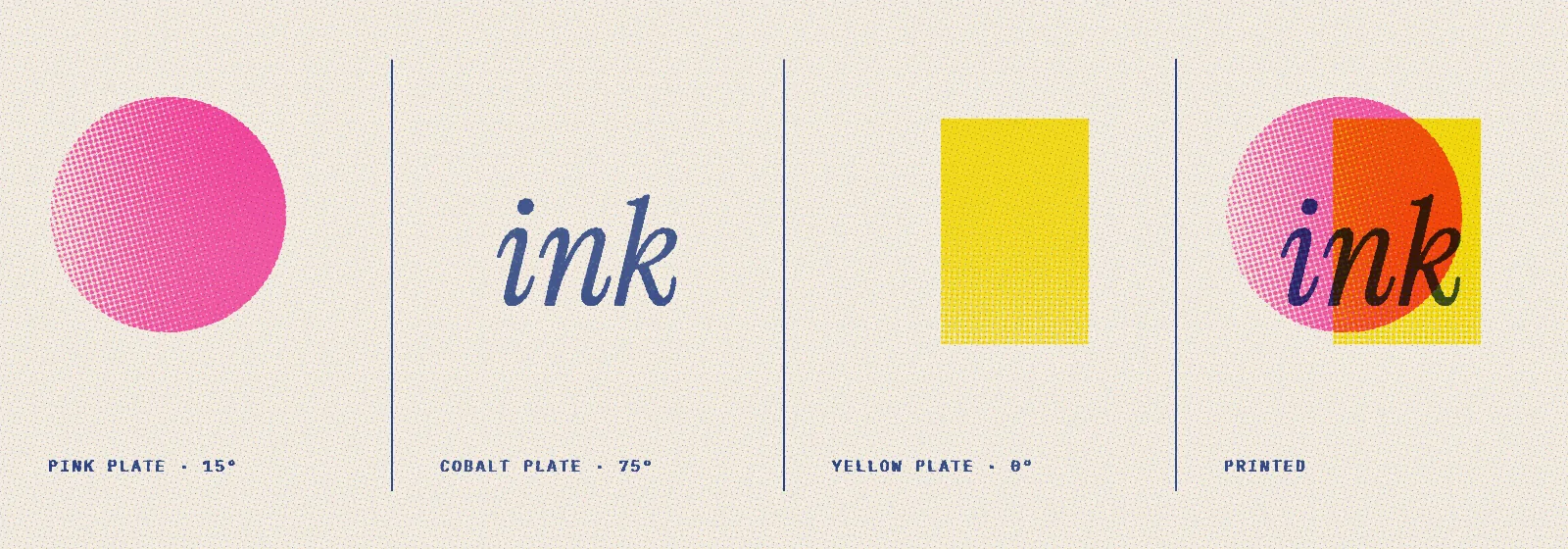
Each piece draws flat artwork into three ordinary Canvas2D contexts, one per drum. The trick is what the colour channels mean:
- Red channel = tone. 0 to 255 becomes halftone dot size.
- Green channel = solid. Printed flat with crisp edges, for type and shapes that should not break into dots.
const SOLID = '#ffffff';
const tone = v => `rgb(${Math.round(Math.max(0, Math.min(1, v)) * 255)},0,0)`;

Riso({
  duration: 8,
  inks: ['fluoPink', 'blue', 'yellow'],
  draw(t, P) {
    P.a.fillStyle = tone(.4);  P.a.fillRect(0, 0, P.w, P.h); // 40% pink screen
    P.b.fillStyle = SOLID;     P.b.font = '400 160px serif';
    P.b.fillText('MOVE', 100, 400);                           // solid blue type
  }
});
Drawing stays in plain Canvas2D, so text, paths, gradients and images all work. The shader only does the printing.
Step 2: a rotated halftone screen in GLSL
Rotate the pixel coordinate, cut it into cells, and draw a dot in each cell whose radius grows with the tone. sqrt makes dot area, not radius, track the tone, which is how a printed screen behaves.
float halftone(vec2 fc, float d, float ang){
  vec2 f = fract(rot(ang)*fc/uCell) - .5;
  float rad = sqrt(clamp(d, 0., 1.))*.86;
  float aa = 1.1/uCell;                       // anti-aliased dot edge
  return 1. - smoothstep(rad - aa, rad + aa, length(f));
}
The three plates use 0°, 15° and 75° (0, .2618 and 1.309 radians). Same-angle screens create moiré; spreading them out gives the classic rosette.
Step 3: imperfect ink
A clean halftone looks digital. Three cheap noise terms fix that:
float plate(sampler2D tex, vec2 fc, vec2 off, float ang, float seed){
  vec4 s = texture2D(tex, (fc - off)/uRes);
  float g = (hash(fc + seed) - .5)*.18*step(.015, s.r);       // jitter dot size
  float cov = max(halftone(fc - off, s.r + g, ang), s.g);     // screen or solid
  float ink = .82 + .18*vnoise(fc*.006 + seed)                // patchy coverage
            - .08*step(.94, hash(floor(fc*.5) + seed*3.));    // speckle
  return cov*ink;
}
The off argument is misregistration. By default each plate rests a pixel or so off, like a real pass through the drum. A piece can return { offA:[x,y] } from draw() to knock a plate further out for a frame, which makes a great hit on a beat.
Step 4: multiply onto paper
vec3 ink = mix(vec3(1.), uInkC, cC)
         * mix(vec3(1.), uInkA, cA)
         * mix(vec3(1.), uInkB, cB);
vec3 paper = uPaper*(.975 + .025*vnoise(fc*.7));   // paper grain
gl_FragColor = vec4(paper*ink, 1.);
Each plate is white where there is no ink and the ink colour where there is. Multiplying gives correct overprints for free. The paper is #f4efe4 with a little noise and a few dark fibres.
Performance
The whole frame is one full-screen triangle and one fragment shader. The cost is uploading three canvases as textures each frame, which is fine at 1280×720. On phones the site's hero runs a lighter mode at about 30fps. A still print shows until the shader's first frame is ready.
FAQ
How do you make a risograph effect in WebGL?
Draw each ink colour into its own grayscale layer, upload the layers as textures, and in a fragment shader turn each layer into a halftone screen at its own angle. Multiply the inks onto a paper colour, add noise for grain, and offset each plate by a pixel or two for misregistration.
Why multiply the ink colours instead of alpha blending?
Riso inks are translucent, so overlapping inks darken each other like real ink on paper. Multiplying (paper × inkA × inkB × inkC) gives the right overprint colours: pink over blue becomes purple.
Can I use this for video, not just a live canvas?
Yes. The showreel was rendered frame by frame from these same pages. See rendering canvas animation to video, frame-perfect.
Why not do it in After Effects?
You can, with halftone and displacement effects. Doing it in code means every piece shares one print style, renders deterministically, and also runs live on the website.
Which inks are built in?
Sixteen real Riso ink colours, including fluorescent pink #ff48b0, blue #0078bf, yellow #ffe800, federal blue and green. Any hex colour also works.